MT5 trading journal: a MetaTrader journal that fills itself
Connect MetaTrader 5 or 4 to a journal in minutes, keep accurate numbers (initial stop, opening balance) and run a useful review every week.
 By Ricardo · Founder of ProTradingLabs5 min read
MetaTrader 5's built-in history lists your trades, but it does not tell you why your account is going nowhere. Keeping a spreadsheet by hand takes time, and is often abandoned after three weeks.
Connect MetaTrader 5 step by step
The journal's setup assistant guides you. First, your MetaTrader account number and the date from which to import your history.
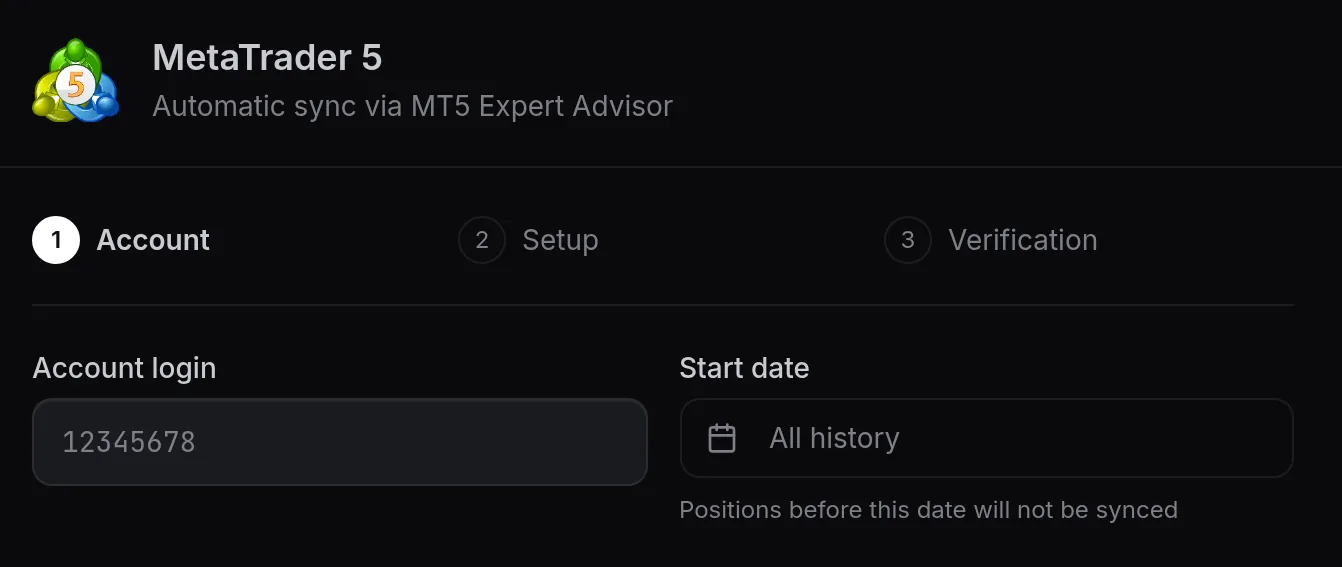
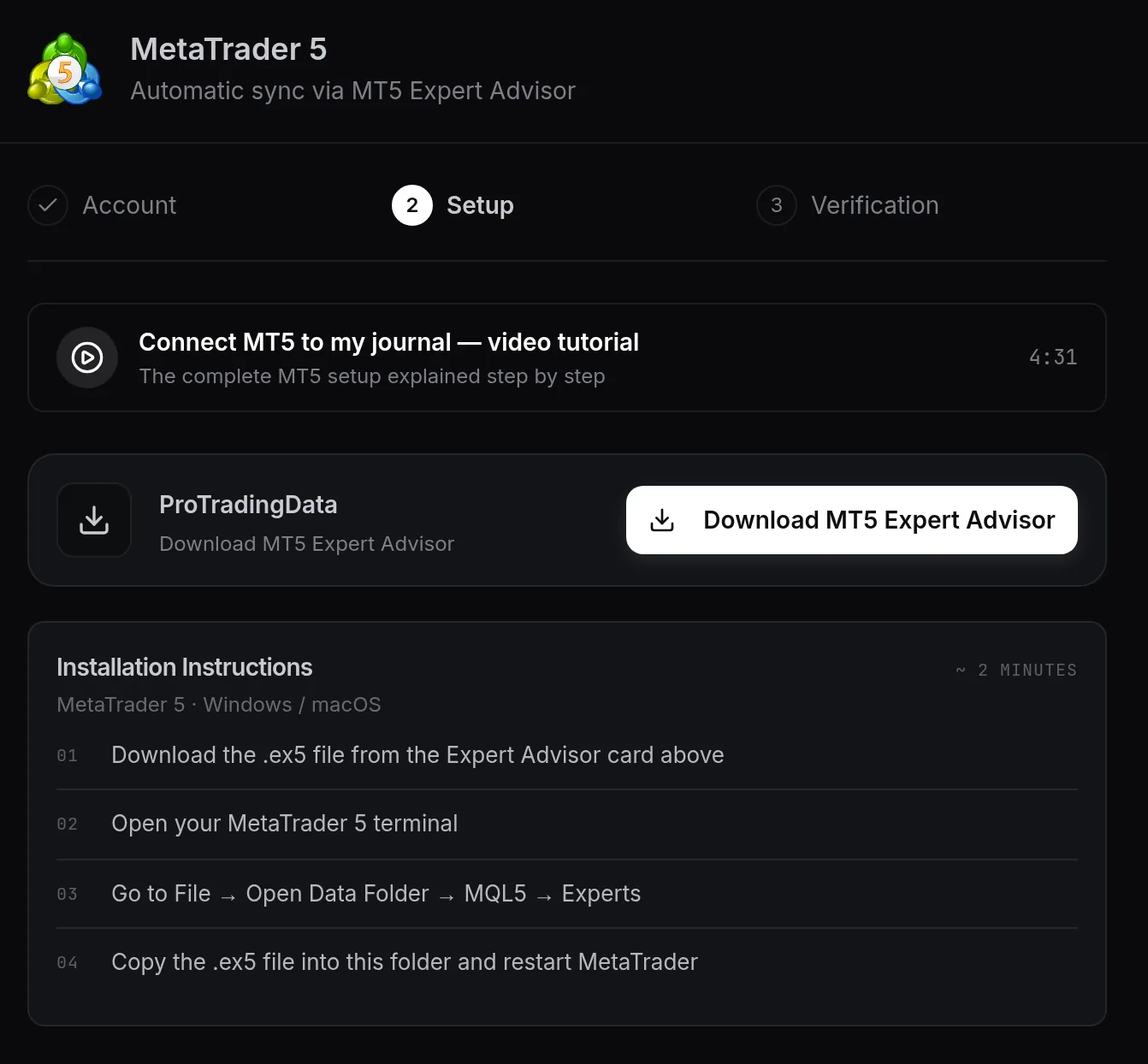
Then download the ProTradingData Expert Advisor and copy it into MetaTrader 5's Experts folder.
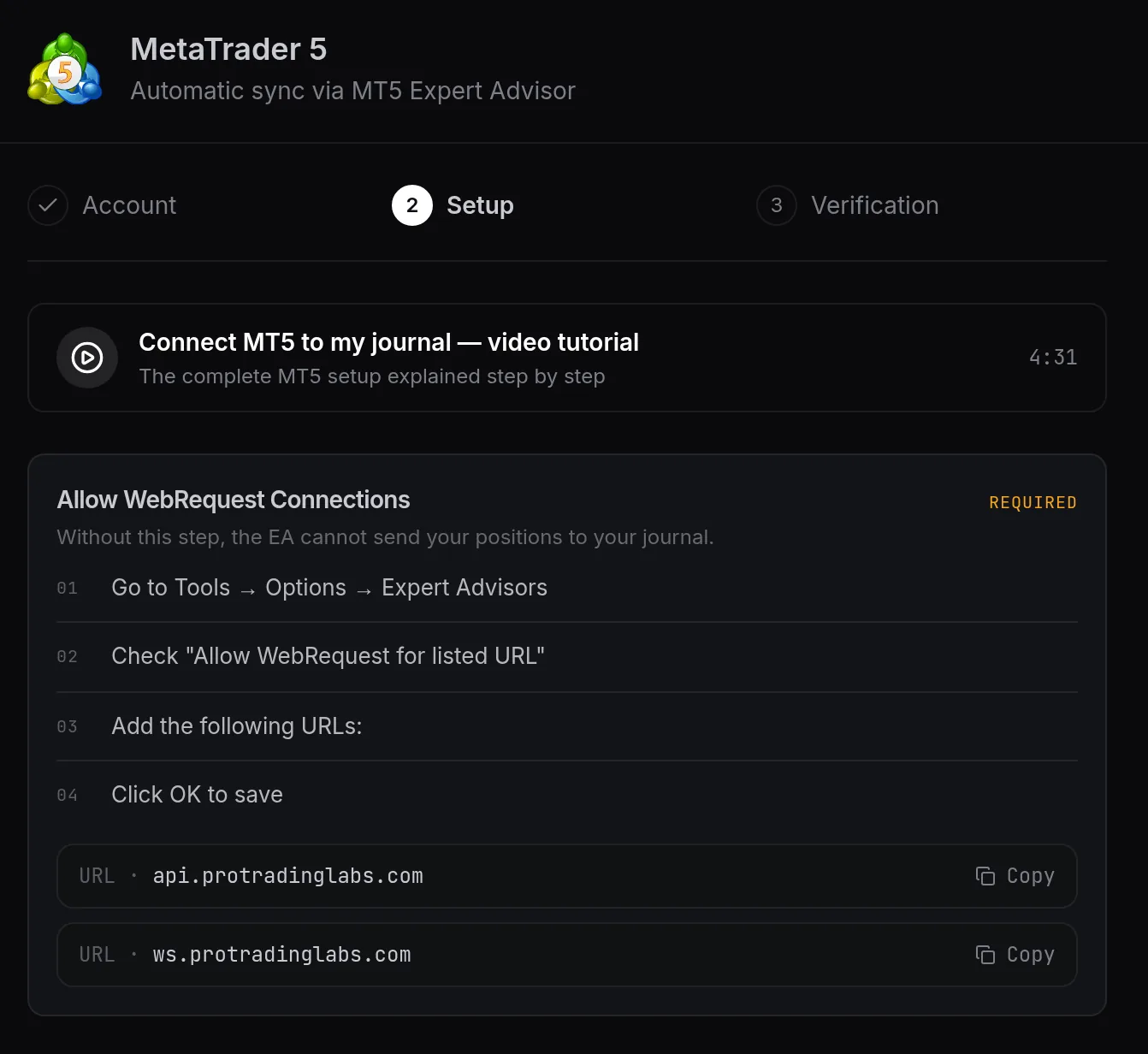
Allow its two connection addresses in MetaTrader's options: without them, the EA cannot send your positions.
Finally, drop the EA on a chart and enter your ProTradingLabs account email in its settings: syncing starts. Each step, and the messages of the EA panel, are covered in the help article Connect MetaTrader 5.
With the ProTradingLabs Desktop app, you only enter the account number, server and password: the app installs MetaTrader 5 and ProTradingData, allows the connections and turns Algo Trading on.
MetaTrader 4, MetaTrader 5 and several accounts
The Expert Advisor exists for MetaTrader 4 and for MetaTrader 5. Each account has its own journal: a prop firm account, a personal account and a demo account stay separate, each with its own statistics and trading plan.
For an overview, a journal can group several accounts. You then see all your trading, without mixing up each account's numbers.
The EA syncs while MetaTrader is open, on your computer or on a VPS. If you close MetaTrader in the evening, trades made in the meantime are picked up when you reopen it.
Exact numbers, not a raw history
Price, volume and dates come straight from MetaTrader. The journal's capital follows your deposits and withdrawals. A journal that starts on a date begins from your broker's real opening balance on that date, so your returns are right from day one (if the balance differs from MetaTrader).
The point to watch is the initial stop loss. ProTradingData computes each trade's ratio (the result divided by the risk taken at the stop) from the stop on the entry order. A stop placed a few seconds after opening is not kept by MetaTrader: the trade shows no known risk.
This is not rare. In our study of 111,000 synced trades, 35% of positions had no stop loss when they opened, and 75% of traders are affected at least once. The journal flags these positions: enter the initial stop to keep your R:R right (why).
What you get out of it
The dashboard brings together capital, win rate, drawdown, performance and your equity curve.
In this example: 142 positions, 58% winners and a performance measured in R, with a profit factor of 1.84 read next to the current and maximum drawdown.
From there:
- your results read by symbol, day and hour;
- you tag your mistakes to see which ones come back;
- every position is checked against your trading plan;
- optimization shows you which symbols or hours to drop to improve your results.
Here, no longer trading GBPUSD at 9, 10 and 11 pm would have improved the total result, and the recommendation holds on 8 of the 10 periods tested.
A 15-minute weekly review
An automatic journal removes the typing, not the thinking. A short, regular review beats a long analysis once a quarter.
The equity curve. Look at the week as a whole: progress, drawdown, and whether a single day explains the result.
Hours and symbols. Look at the heatmaps: a red cell that comes back every week is a time slot or an instrument to rethink.
Trade duration. In our data, positions under 5 minutes end at −0.41 R on average, against +0.46 R for those over a day. Check whether that is your case too.
Mistakes. Count the week's tagged mistakes and pick a single one to fix.
Missing stops. Fill in the initial stop of the flagged trades, so the next week starts from accurate numbers.
In "9 years of trading in 90 minutes", published in February 2026, Benjamin Deleuze, trader, mentor and partner of ProTradingLabs, compares the two ways of keeping a journal. A manual journal means creating every trade and adding its charts and figures: up to 10 more hours a week for a strategy that already takes 20. His advice:
Whatever platform you use, I advise you to always use an automatic journal and not a manual one, if of course you have the choice.
The full figures are in our study: trading statistics on 111,000 trades.
What if something blocks?
The EA panel, on the MetaTrader chart, shows the current problem and what to do. The two most common causes take a minute to fix: a connection address not allowed in MetaTrader (error 4014), or an email different from your ProTradingLabs account's. Each message is explained in the help center (connect MetaTrader 5).
Frequently asked questions
Is MetaTrader 4 supported too?
Yes. ProTradingData comes as an Expert Advisor for MetaTrader 5 and for MetaTrader 4.
Do I have to keep MetaTrader open?
The Expert Advisor syncs while MetaTrader is open, on your computer or on a VPS. When you reopen it, trades made in the meantime are picked up.
My account shows "Disconnected" at night or on weekends: is that normal?
Yes when MetaTrader is closed, or when the broker's server is unavailable. The "Account disconnected" help article explains each case.
Does ProTradingData import my history?
Yes. You choose a start date: the journal starts from your broker's real opening balance on that date, then imports every trade.
Why do some trades have no R:R ratio?
Because the position had no stop loss when it opened. If you placed it right after, MetaTrader did not keep it: enter the initial stop in the trade.
Keep reading
ProTradingLabs is not affiliated with FTMO, MetaQuotes, Spotware or TradingView. Trading leveraged products carries a risk of capital loss.